MX2 Pro Inkjet Coding Device in India: A Practical Guide for Batch, Date and Code Printing
A manufacturer may need to print the same type of information every day, but the actual message changes with each batch. Today’s carton may require one lot number; tomorrow’s may need another expiry date, MRP or product code.
The MX2 Pro Inkjet Coding Device is designed for this type of variable-data printing. It is a TIJ-based coding device used for text, dates, batch numbers, serial numbers, logos, barcodes and QR codes. Depending on the setup, it can be used as a handheld unit or mounted for online printing beside a conveyor.
For companies searching for the MX2 Pro Inkjet Coding Device in India, the main buying questions are practical: what can it print, which surfaces can it handle, how fast can it run, and is it suitable for the production line?
What is the MX2 Pro?
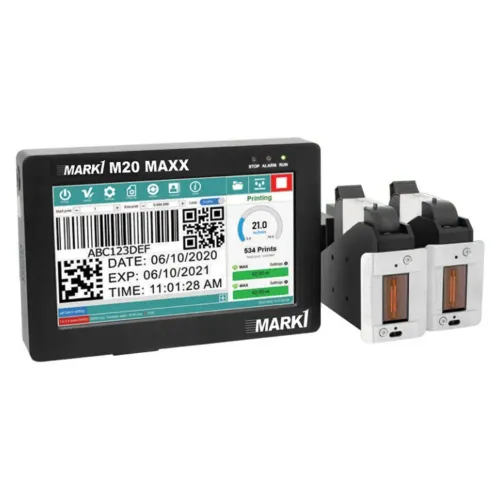
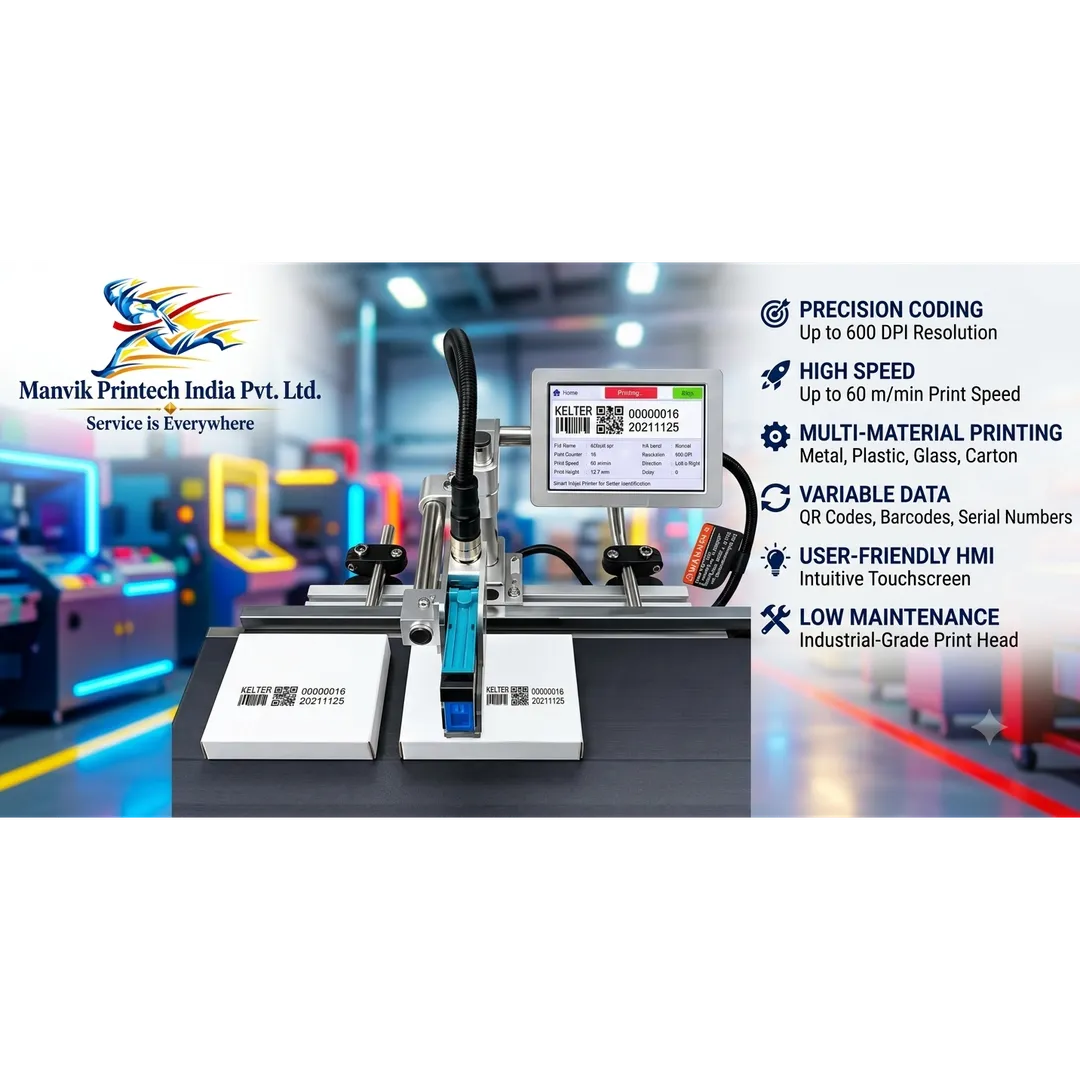
The MX2 Pro is a thermal inkjet coding device with a touchscreen controller and cartridge-based printing system. Product listings for this model specify TIJ 2.5 technology, a maximum resolution of up to 600 dpi, USB and photoelectric interfaces, and support for text, dates, batch numbers, serial numbers, logos, barcodes and QR codes.
Published specifications can vary according to the configuration, cartridge and seller. For that reason, the exact print height, speed, ink type and mounting arrangement should be confirmed in the quotation.
The device can be considered for:
- Batch and lot-number printing.
- Manufacturing and expiry-date coding.
- MRP and price printing.
- Barcode and QR-code marking.
- Serial-number printing.
- Logo and product-name printing.
- Carton and packaging identification.
- Product and component traceability.
What can it print?
The MX2 Pro is intended for variable information rather than only fixed text. An operator can create or select a message through the controller.
Typical examples include:
On a medicine carton:
B.No. M2408 | MFD: 08/2026 | EXP: 07/2028
On a food pouch:
LOT: F26A17 | PKD: 09/2026 | MRP: ₹___
On an industrial component:
MODEL: MX-204 | S/N: 000184
The final code must be sized according to the available print area. A dense QR code may require more space than a short batch number. If a product moves during printing, the code may become distorted even when the printer itself is functioning correctly.
Materials and applications
Published product information lists applications on carton board, paper, wood, pipe, cable, metal, plastic, electronic parts, fibreboard and aluminium foil.
That does not mean that one cartridge will produce the same result on every surface. Materials differ in porosity, coating, smoothness and drying behaviour.
Cartons and paperboard
Cartons are a common application for TIJ coding. Solvent-based ink may be considered where fast drying or adhesion on a coated surface is required. The actual carton should be tested because varnish and glossy coatings can affect the print.
Pouches and flexible packaging
The surface of a pouch may be smooth, laminated or metallised. The ink must adhere without smearing during packing and handling. Test the print after drying and rubbing it with the type of contact it will experience during production.
Bottles, jars and plastic containers
Plastic type, curvature and surface treatment affect the result. The printhead must remain at the recommended distance, and the container should pass the printing point without excessive movement.
Pipes, cables and components
The MX2 Pro may be considered for identification marks on cables, pipes, electronic parts and other industrial products. Line speed, product diameter, surface texture and required print durability should be evaluated first.
Handheld or online use?
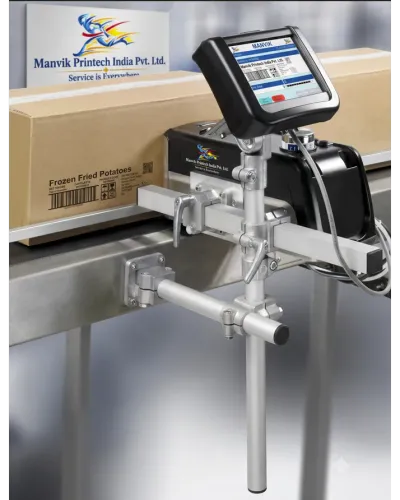
One advantage of a compact coding device is flexibility. It may be used manually on products that do not run through a fixed production line, or mounted in an online arrangement when products move on a conveyor.

If the code must appear at exactly the same position on every pack, online mounting with a sensor and suitable product guides is usually more consistent than freehand printing.
Problems the MX2 Pro can help solve
Manual stamping is inconsistent
Rubber stamps and hand marking can produce uneven characters, incorrect dates and variable positions. A digital message reduces the need to prepare a new stamp for each batch.
Labels are expensive or difficult to apply
Direct printing may remove a separate label step in selected applications. It should only be considered after checking adhesion, readability and packaging requirements.
The same line handles several products
Saved message files make it easier to switch between product codes, batch information and dates. Operators still need a controlled procedure to prevent selecting the wrong message.
Barcodes are not readable
The issue may be code size, contrast, print resolution, substrate, product movement or incorrect data—not only the printer. Test the barcode with the scanner used in your process.
Printing is required in more than one location
The device can be evaluated for manual coding in a packing area or for online integration beside a conveyor. A larger print requirement may require multiple printheads or another model.
Technical points to confirm
Available listings describe specifications such as:
- TIJ 2.5 print technology.
- Up to 600 dpi resolution.
- Five-inch touchscreen display.
- USB, photoelectric and RS232 interfaces.
- Best-quality print distance of approximately 2–5 mm.
- Storage for more than 1,000 messages.
- Approximate controller and printhead dimensions of 130 × 100 × 42 mm and 90 × 110 × 107 mm in one listed configuration.
- Approximate power consumption of 30 W in one listing.
These figures should be treated as configuration-dependent. Confirm the following before purchase:
- Actual print height.
- Number of print lines.
- Cartridge capacity and ink type.
- Print speed at your message size.
- Supported data formats.
- Online mounting arrangement.
- Sensor and encoder compatibility.
- Warranty and service terms.
- Availability of cartridges and spare parts.
One product listing mentions a capacity of 120 m/min and another lists different production figures, which shows why speed should be verified using your actual message and product spacing rather than relying on a headline specification.
How to test before buying
Send the supplier:
- The product or packaging sample.
- The required text and date format.
- A sample barcode or QR code.
- The production speed.
- The desired print position.
- The expected rubbing, moisture or chemical exposure.
- Whether printing will be handheld or online.
Review the sample after the ink dries. Rub it, scan it and check whether the code remains clear after ordinary handling. If the product is packed immediately after printing, include that condition in the trial.
MX2 Pro support from Manvik Printech India
Manvik Printech India provides coding and marking equipment for businesses in New Delhi and surrounding industrial markets. The MX2 Pro can be discussed for batch, MRP, expiry-date, barcode and QR-code applications where its print height, ink and production speed fit the job.
A practical enquiry should include the material, message, code size and line arrangement. Based on those details, the suitable solution may be an MX2 Pro, another TIJ printer, a CIJ printer or a laser coding machine.
Visit Manvik Printech India to enquire about the MX2 Pro Inkjet Coding Device, sample printing and online or handheld coding requirements. Add your verified telephone number, email address, price and warranty details before publishing the page.
FAQs
What is the MX2 Pro Inkjet Coding Device used for?
It is used for printing batch numbers, dates, MRP, serial numbers, logos, barcodes and QR codes on selected products and packaging.
Is the MX2 Pro a TIJ printer?
Yes. Published specifications identify it as a TIJ 2.5 thermal inkjet device.
Can it print on cartons and pouches?
It can be considered for cartons, pouches and other packaging, but the ink must be matched to the surface. A sample test is recommended.
Can it print barcodes and QR codes?
Yes, the listed print content includes barcodes and QR codes. The code must be large and clear enough for the intended scanner.
Can the MX2 Pro be used online?
It can be configured for online or conveyor-based use according to published product listings. Confirm the sensor, mounting, print-height and speed requirements for your line.
Is it suitable for every plastic surface?
No. Plastic type, coating, curvature and ink compatibility affect the result. Test the actual product before placing an order.
What should I ask before buying?
Ask for a sample print, confirmed print height, cartridge details, actual speed for your message, service terms, warranty and availability of consumables.
Keywords