Online Inkjet Printer in India: Automate Batch Coding on Your Production Line
A pack moves along the conveyor. The code is printed. The next pack reaches the same position a few seconds later.
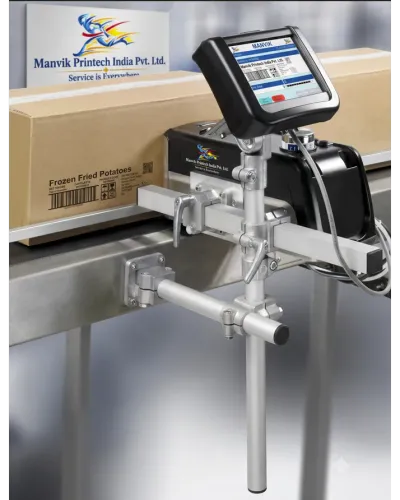
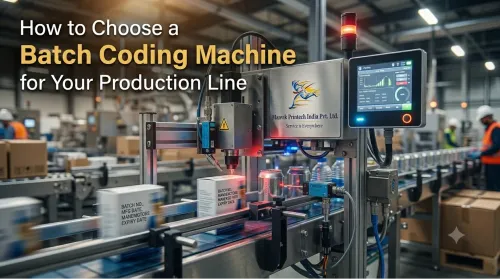
That is the basic idea behind an online inkjet printer. Instead of stopping production for manual stamping or moving each item to a separate workstation, the printer is mounted beside the conveyor and prints variable information as products pass through the line.
For manufacturers, this can reduce manual handling and make batch, date and product identification part of the production process. Online inkjet printers are used for printing on cartons, pouches, bottles, labels, boxes, plastic containers and other packaging materials, subject to the printer and ink selected.
What is an online inkjet printer?
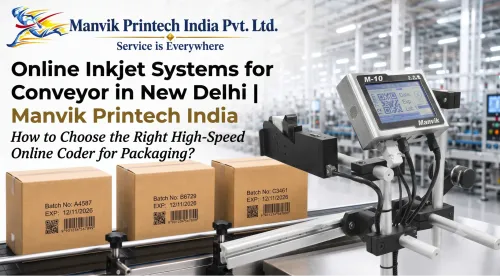
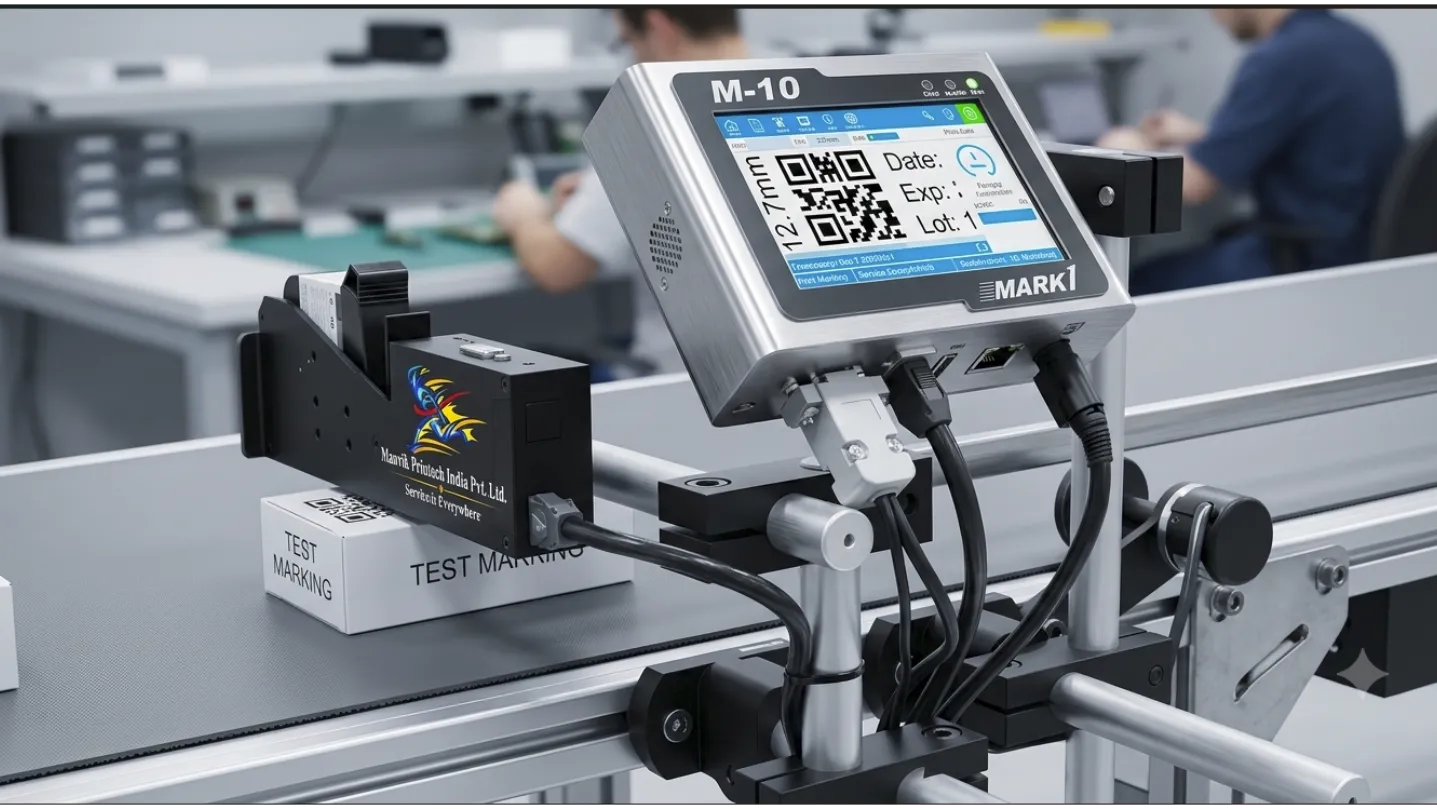
An online inkjet printer is an industrial coding system connected to a conveyor or packaging line. A sensor detects the incoming product and sends a trigger signal to the printhead. The printer then applies the programmed message at the required position.
Depending on the application, the system may use:
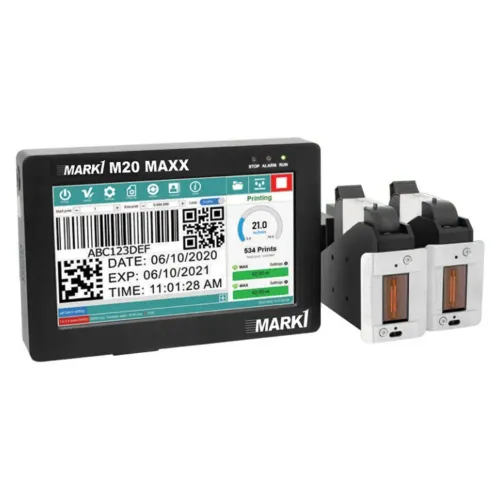
- Thermal Inkjet technology.
- Continuous Inkjet technology.
- One or more printheads.
- A conveyor with product guides.
- An encoder for speed compensation.
- A photocell or product sensor.
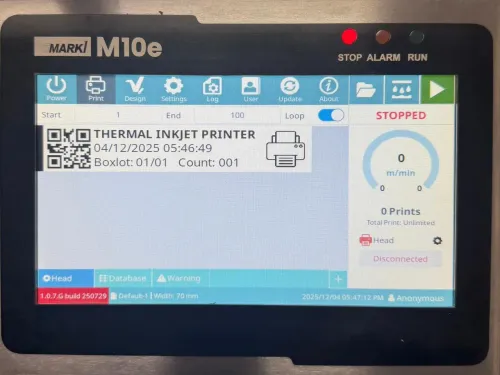
- Software for variable data and message control.
Some systems are supplied as a printer with a conveyor. Others are installed on an existing packaging machine or production line. The correct arrangement depends on product spacing, line speed, surface direction and available mounting space.
What can an online printer print?
An online inkjet printer can be configured for different types of variable information:
- Batch or lot number.
- Manufacturing date.
- Expiry date.
- MRP and price.
- Product code.
- Serial number.
- Barcode.
- QR code.
- Data Matrix or other 2D code.
- Logo or simple graphic.
- Shift number and line identification.
A manufacturer may use one message for a particular batch and change it when the next batch begins. If the machine is connected to a scanner, database or production system, the data can be transferred digitally instead of being typed manually.
This matters when several products use similar cartons. A wrong batch or expiry date may not be obvious during packing, especially if operators are changing messages repeatedly.
How does it work on a conveyor?
The process normally follows these steps:
- The product enters the conveyor.
- A sensor detects its position.
- The control system receives a trigger.
- The printhead applies the selected message.
- The product continues to the next packaging or inspection stage.
- An operator or vision system checks the code when required.
The distance between the sensor, printhead and product must be set correctly. Product movement also needs to be stable. If a pouch shifts or a carton rotates while passing the printhead, the code may appear slanted, incomplete or poorly positioned.
For faster lines, an encoder may be used to coordinate printing with conveyor movement. Do not assume that a printer’s advertised speed will match your line. Message length, number of print lines, code size, product spacing and ink-drying time all affect the practical result.
Where are online inkjet printers used?
Pharmaceutical packaging
Pharmaceutical companies may use online coding for cartons, medicine boxes, labels, bottles and selected containers. Typical information includes batch numbers, manufacturing dates, expiry dates, barcodes and serialised data.
The code must be tested on the actual carton or label because coatings and glossy surfaces can affect ink adhesion and scanning.
FMCG products
FMCG production lines often handle different products and packaging formats. An online printer can code pouches, cartons, bottles, jars and secondary packaging without requiring a separate manual stamping operation.
Typical applications include food packets, cosmetics, personal-care products, detergents and household goods.
Food and beverage
Food and beverage manufacturers may print batch details and dates on pouches, bottles, cans, cartons and outer cases. Cold surfaces, condensation, oil and dust can affect the drying and adhesion of ink.
The cartridge or ink formulation should be selected after testing the surface under actual production conditions.
Industrial products
Online coding is also used for pipes, cables, components, boxes, labels and metal or plastic products. A CIJ system may be considered for continuous small-character coding on difficult or curved surfaces, while TIJ is often selected for high-resolution text and codes on cartons and packaging. The choice depends on the application, not merely on the word “online.”
Online TIJ printer versus handheld printer

A small manufacturer may begin with a handheld printer and later move to an online system when production volume increases. A sample evaluation can help determine whether automation will justify the additional equipment and setup.
Common problems on online coding lines
The code is printed in the wrong position
This can happen when product spacing is irregular, the sensor is poorly positioned or the product guide allows movement.
Check: sensor location, guide rails, product orientation and trigger delay.
The print is blurred
The surface may be wet, dusty or unsuitable for the selected ink. Excessive distance between the printhead and product can also affect quality.
Check: substrate condition, ink type, printhead distance and drying time.
The QR code does not scan
A code may fail because it is too small, lacks contrast, is distorted by product movement or contains an incorrect data format.
Check: code dimensions, printer resolution, surface finish, scanner position and data content.
The message changes incorrectly
Incorrect operator entries or poor file management can cause the wrong batch number or date to be printed.
Check: user access controls, message naming, barcode-based selection and database integration.
The line stops during a print job
An online printer may be incorrectly matched to the conveyor speed or print demand. Ink-related alarms, sensor failures and unstable product movement can also stop production.
Check: line speed, print duty cycle, sensor wiring, ink level and preventive maintenance procedure.
How to select an online inkjet printer in India
Before requesting a quotation, provide the supplier with:
- Product and packaging samples.
- Material type and surface finish.
- Required message and code size.
- Conveyor speed.
- Product spacing.
- Product height and orientation.
- Number of shifts per day.
- Required ink colour.
- Whether the code must be scanned.
- Existing PLC, sensor or conveyor details.
- Available space for mounting.
Ask for a trial print on your actual product. Review the code immediately and after handling. If the product will be refrigerated, washed, exposed to oil or packed shortly after printing, include those conditions in the test.
A machine should be evaluated on print quality, changeover time, ink consumption, maintenance access, operator training and service availability—not purchase price alone.
Online inkjet printer support from Manvik Printech India
Manvik Printech India, based in New Delhi, can discuss online inkjet and batch-coding requirements for manufacturers in Delhi NCR and customers in western and southern India.
The enquiry process should begin with the application:
- What product needs coding?
- What is the surface material?
- What information must be printed?
- How fast does the line run?
- Is the product stable at the printing point?
- Does the code need barcode or QR verification?
Based on these details, the suitable configuration may include a TIJ printer, CIJ printer, conveyor, sensor, encoder, mounting bracket or multiple printheads.
Visit Manvik Printech India to request product information, sample marking or an online coding consultation. Add your verified phone number and official email address before publishing the page.
FAQs
What is an online inkjet printer used for?
It is used to print batch numbers, MRP, manufacturing dates, expiry dates, barcodes, QR codes, logos and serial numbers automatically as products move on a conveyor.
Can it print on pouches and cartons?
Yes, online inkjet systems can be used on pouches and cartons when the printer and ink are suitable for the material. Sample testing is recommended.
Is an online inkjet printer suitable for bottles?
It can be suitable for bottles, but bottle shape, orientation, speed and surface material must be checked. Curved or wet surfaces may require a different ink or printing technology.
Does an online printer require a conveyor?
Not always. Some printers can be mounted on an existing conveyor or packaging machine. Complete systems may include a dedicated conveyor.
What is the difference between an online inkjet printer and a batch coding machine?
“Online inkjet printer” describes a printer integrated with a moving production line. “Batch coding machine” describes the purpose of printing batch and date information. An online TIJ or CIJ printer can function as a batch coding machine.
How can I select the correct model?
Share your actual product, surface, required message, line speed and code size. A sample test and application review are more reliable than selecting a machine from a generic specification sheet.
Keywords